• paralax-6.jpg
    Welcome to Crowdviewer
    With Crowdviewer you can help quickly and easily.
    No installation required, just start.
    No subscription !!!
  • Access from anywhere
    With Crowd Viewer you have a tool in your hand
    that allows you to provide support from anywhere.
    With CrowdviewerFS, unattended access is also possible.
    Simply by installing it as a Windows system service.

Remote maintenance made easy....


Remote maintenance software without a subscription – Crowdviewer

Crowdviewer makes remote maintenance easy for both sides again.

  •   No installation required
  •   No subscription
  •   Free in the local network
  •   Simply start and help
  •   Unattended access with CrowdviewerFS
  •   Two-factor authentication

With Crowdviewer you get simple remote maintenance software for secure remote support. An alternative to solutions like TeamViewer or AnyDesk, without monthly fees.

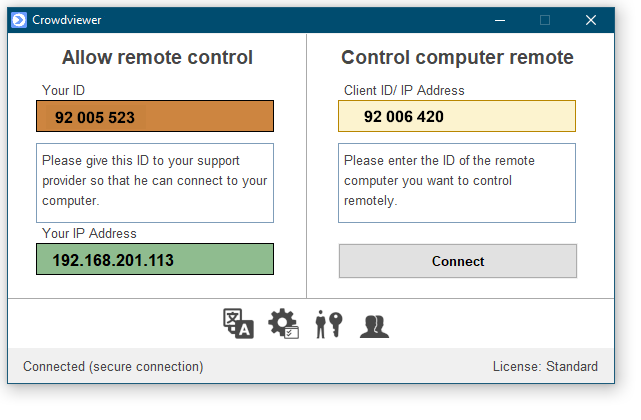
With Crowdviewer, remote support is once again easy for both parties. A unique computer ID (displayed in the brown field) makes it very easy for the support staff to connect to your computer to provide support. It's even free for all Windows computers in your network.
To make it even easier for those seeking support, we have developed CrowdviewerFS. CrowdviewerFS (Fast Support) also enables unattended access via a Windows service, the host mode and can be secured with two-factor authentication.


We support the following operating systems:

  • Windows XP
  • Windows Vista
  • Windows 7
  • Windows 8
  • Windows 10
  • Windows 11
  • Windows Server
System Mode
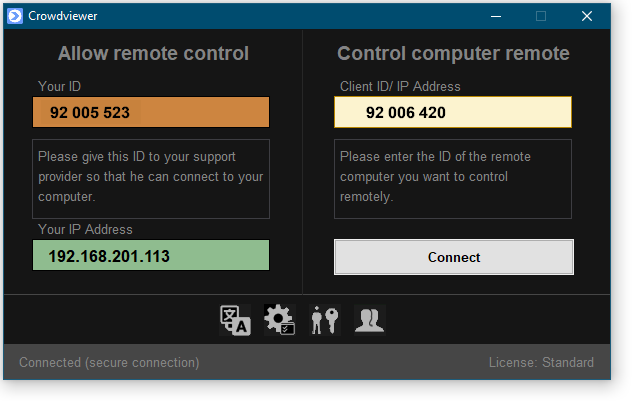
Dark Mode


Why still support such old operating systems?

Many production facilities still use Windows XP as their operating system, which, in fact, cannot be changed. These computers are generally not connected to the Internet and are therefore not at risk from attackers. In order to support these systems remotely, we have decided to support them as well. By deactivating the "Use Crowdviewer network" function, Crowdviewer can be used free of charge on the local network. Instead of the ComputerID, simply enter the IP address of the computer to be controlled. The own IP address is displayed in the green field.